Changelog
See what's new in each release of Command Center
1.2.22026-09-05
Highlights
- Can now open workspaces for, and create walkthroughs from, PRs made from a fork of the main repo
- Coding agents can now show and hide files in the diff viewer. Try asking "Collapse all test files."
- Major performance improvements to all git operations. As git operations such as diffs run constantly, this means Command Center as a whole is now much faster.
New Features
- Updates to Anthropic models: adding Fable 5.1 as an available non-coding model, retiring Opus 4.8 and 4.7. (As always, coding agents use whatever models are configured on your system.)
- Agents sometimes give links to files, line numbers, and local artifacts. Now have proper support for clicking these links.
- Command Center credits (the bundled Gemini proxy) are now free through February 1st, 2027.
- Refreshed the Gemini model lineup
- Commands in agent loops now each have their own timeout, instead of a hardcoded five-minute cap
Improvements
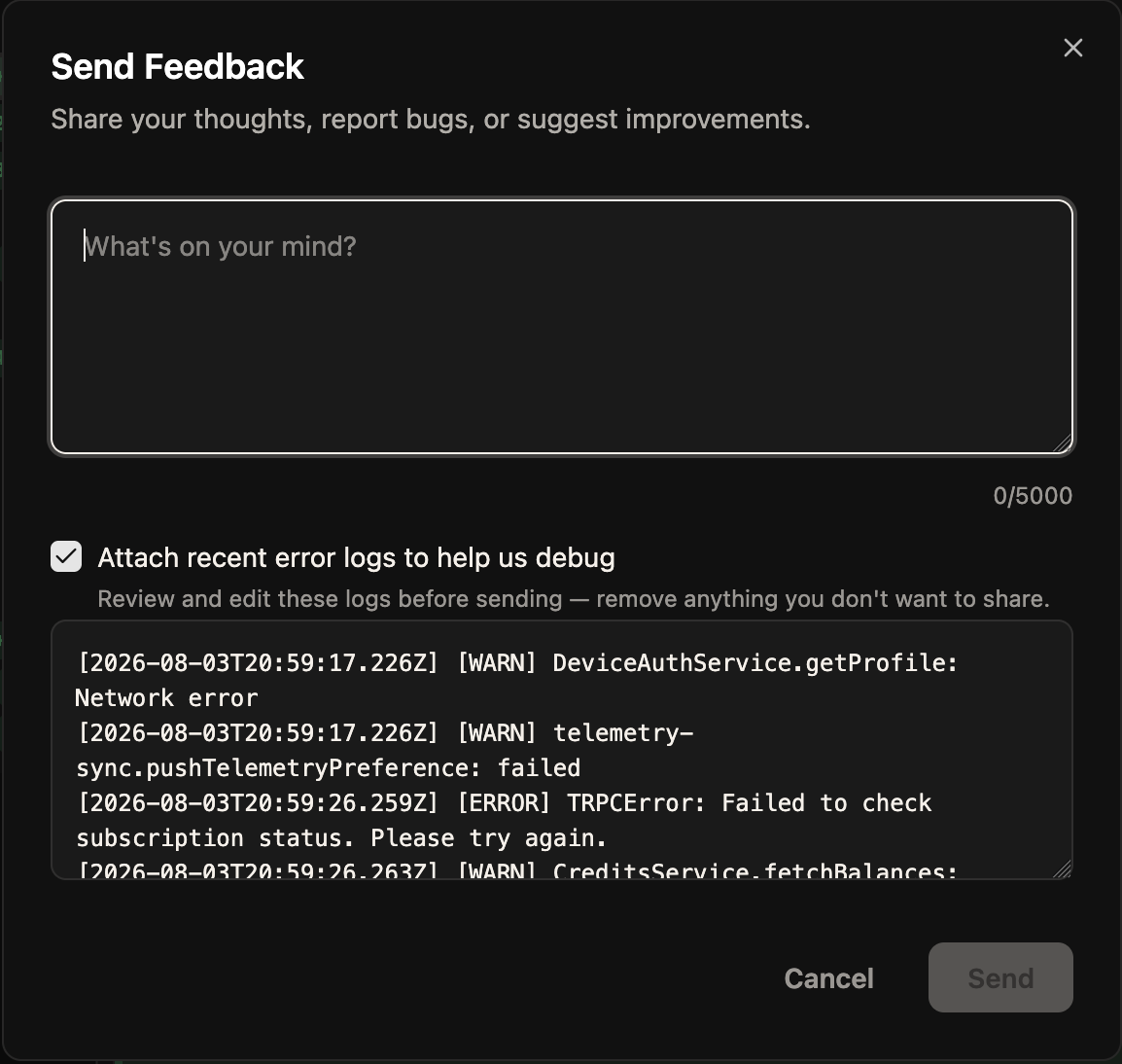
- Send Feedback can now attach your recent error logs. They are redacted, and you can read and edit them before anything is sent.
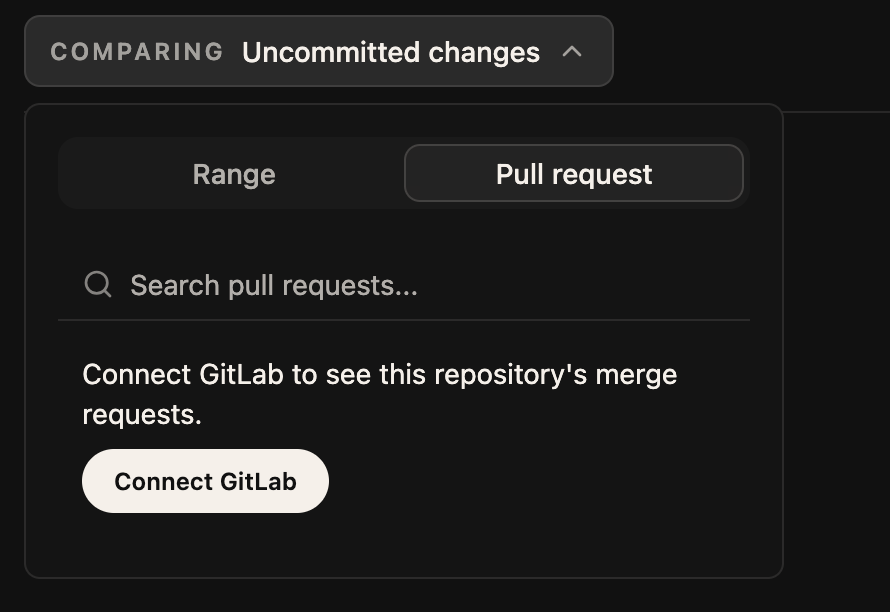
- GitLab: Command Center now tells you when a repository needs a GitLab connection instead of showing an empty list, and it will accept an existing glab CLI login.
- Distinct rendering for when a coding agent injects context into its own conversation
Before
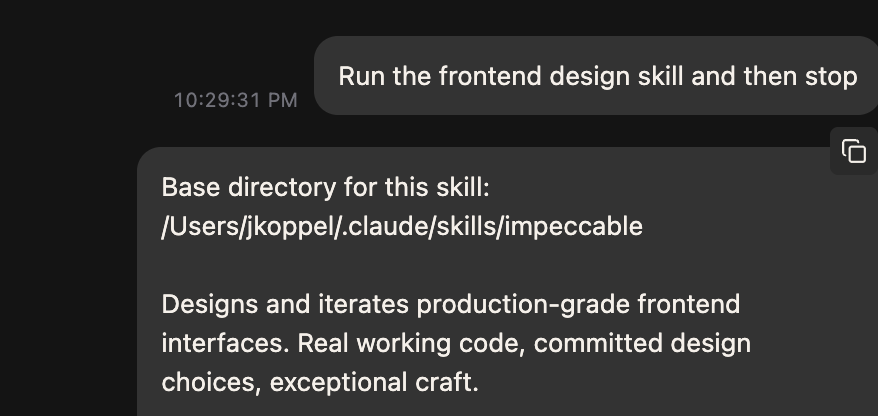
After
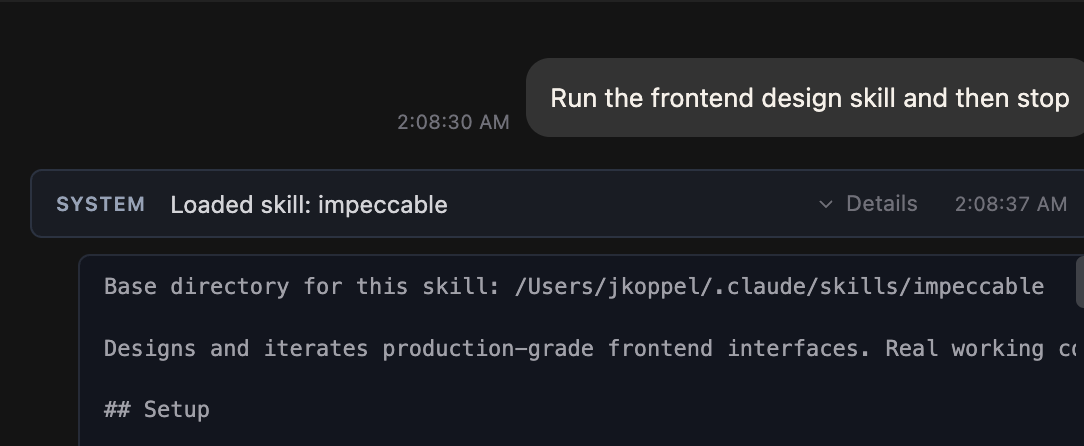
Loading a skill: before, the whole SKILL.md looked like something you pasted. After, one collapsed row.
- Workspace names have been separated from branch names
- When you ask an agent to create a workspace, it is more likely to create an agent in the same request (because the tool call format changed)
- Draft messages are now per-agent. Switching agents while typing a message now leaves your draft in place instead of carrying it over to the new agent
- Extremely large diffs (e.g.: 800MB) are now properly truncated
- Improvements to the rendering of Codex tool calls
- Haskell repositories: Command Center now properly ignores HIE and build artifacts (which could number in the thousands)
- A terminal running a long command is no longer killed by idle cleanup.
- Git configuration is now resolved per repository, so conditional includes in your gitconfig apply correctly.
- Improvements to integration with jj. jj divergent ops should now happen approximately never except when there is an active jj conflict, and then only rarely.
- The bundled OpenCode ("CC Basic") now keeps its state in Command Center-owned directories instead of sharing with your own OpenCode installation.
- When a pull request cannot be loaded, the error now says which forge failure caused it.
Bug Fixes
- When viewing a Codex agent transcript outside brief mode: bash commands now only render as "running" when they are actually running
- Workspaces could report their branch as `main` no matter what was actually checked out in them.
- Fixed spurious error message that sometimes showed when cancelling a Codex turn
- Fixed bugs that could sometimes cause an agent session to be lost after a backend restart or crash, particularly with OpenCode
- Create walkthrough from pull request then base branch moves: no longer alter the diff shown in the walkthrough
- In agent loop, fixed: set sequence of commands in the setup actions, one fails, would still proceed to the main loop.
- Sending inline feedback no longer wipes the message you were composing in the agent chat.
- If send message to session in workspace that was still initializing, and had the Advanced pane open, would see a stack of harmless error toasts
- Scrolling while the mouse is over the textbox in the Command Dock (or anywhere else in the Command Dock) no longer scrolls the app behind it
- A Codex prompt consisting only of an image no longer fails.
- Fixed issue where, if you open a workspace whose last commit was X, made a bunch of new commits, and then switched the Diff Viewer to "Last commit", it would show you the diff from X~1 to the working tree, rather than the new last commit.
1.2.02026-08-09
Highlights
- Coding agents can now drive the Command Center UI. You can ask your agent to create a new workspace, create a new agent (in that workspace), and navigate to showing a diff of any file and any range. (Supports Codex and Claude Code.)
- Can now freely resize the Command Dock. Click and drag to start resizing to fixed preset sizes (as before); hold Alt/Option to switch to free resizing mode
New Features
- Open-in-editor support added for: Neovim, Emacs, and Jetbrains IDEs
- NixOS users can now install Command Center as a Nix flake (nix profile install github:command-center-ai/command-center). T
- Added Opus 5, Sonnet 5, and GPT 5.6 for walkthroughs and refactorings
- New setting "John Mode": auto-expand all reasoning in the transcript
- When you are running the Electron app, can press "Open in Browser" from Settings > About to open the running Command Center in a normal browser tab
- Tab and Shift+Tab jump between top-level walkthrough steps. Arrow keys still move one state at a time
Improvements
- Cloning a repo now is now non-blocking, streams live progress ("Cloning repo… 42%")
- The submodule diff warning now has a "Don't show this again" button, instead of reappearing on every workspace switch.
- In jj repositories, the default diff scope is now labeled "current change" rather than "uncommitted changes"
- The Command Dock no longer adjusts size when you switch between the Agents/Terminal/Snapshots panels
- Visual inconsistences between the Agents/Terminal/Snapshots panels are now fixed
- The "Subagents" and "Commands" pages, which let you install and manage things to go into the .claude/agents and .claude/commands directories, have been soft-deprecated. We have observed that these features of Claude Code are effectively obsolete and have been replaced by Skills. These tabs now only show up for projects that already have entries in their ./claude/agents or ./claude/commands directories
- Closing a terminal now kills everything it spawned.
- Improvements to the "Get Design Suggestions" refactoring step
- Installing on Windows 7, 8, or 8.1 is now blocked by the installer with an explanation (Electron does not support these versions), instead of installing an app that fails to launch with a bare OS error.
- Significant improvements to app stability and error handling
- All remaining aria-labels are translated, so screen readers no longer read untranslated English in a non-English UI.
- Relative timestamps ("3 minutes ago") refresh at a rate that scales with their age, which noticeably reduces background work in long sessions.
- If you have hundreds of archived workspaces, the archived-workspaces dialog will now load instantly
- Subagent task-status messages now render as belonging to that subagent
Bug Fixes
- Fixed a bug on Windows that can cause the app to crash upon opening a workspace
- Codex CLI subscriptions are now detected correctly. Previously, an active ChatGPT subscription could show as "Not detected" because the check read a stale token.
- The button to install OpenCode now works on machines that do not have Homebrew installed
- Fixed: if you ~/.claude/skills folder was a symlink to another folder such as ~/.agents/skills, Command Center would not detect them. If there were other issues involving symlinks not being followed, they were likely also fixed in this change.
- If you use Command Center on a Mac machine that does not have git installed, but where the 'git' command forwards to the built-in "Please install XCode Command-line-tools" stub, it will correctly use Command Center's bundled git instead
- Transient git errors no longer cause diffs to cease auto-refreshing
- Did you know that, in 2026, it's still possible for Claude Code to emit a tool call which does not conform to its own schema [and then instantly reject it]? This situation no longer causes the screen to be replaced with an error message.
- Fixed a bug that could cause walkthrough highlights to land on the wrong line
- (UI) Removed a duplicate native tooltip on Command Dock buttons and a double chevron on the editor submenu.
1.1.12026-07-20
Highlights
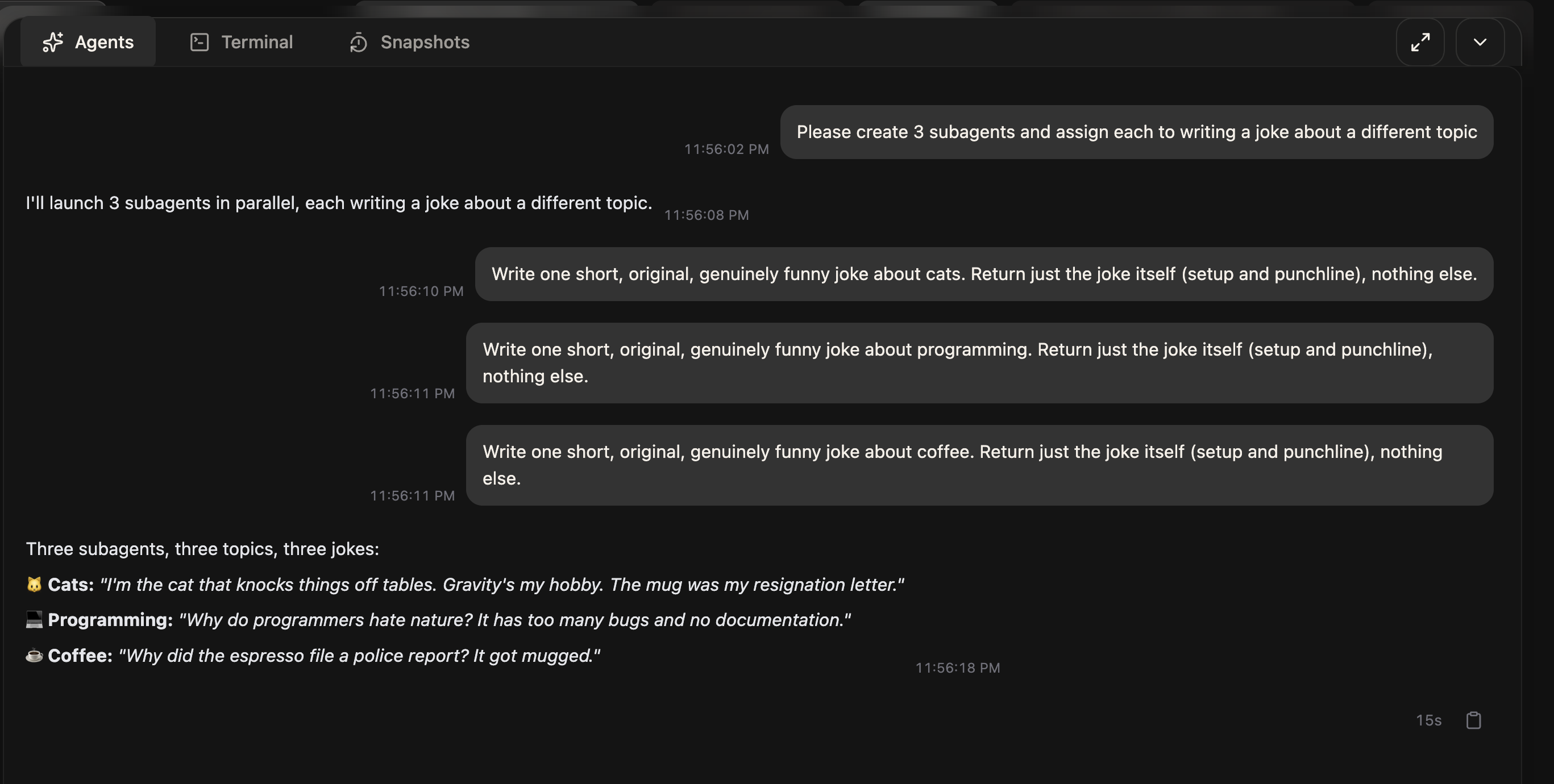
- When Claude Code starts a subagent, it renders like a multi-person chat
Before
After
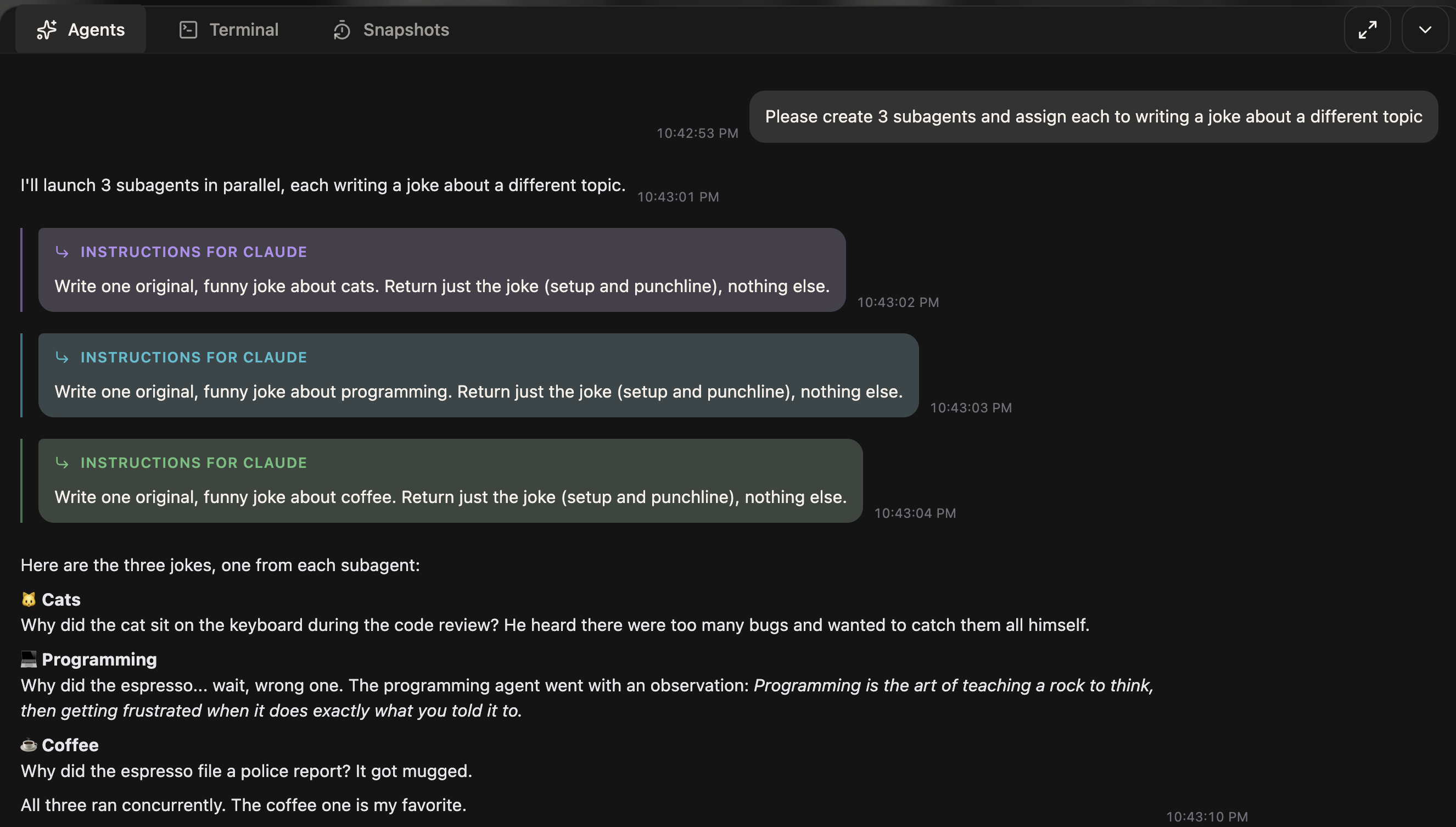
Before: subagent prompts looked just like your own messages. After: each subagent gets its own indented lane and color.
Improvements
- Turn footers now show the actual model each turn ran on instead of always labeling it "CLI default", across Claude Code, Gemini, OpenCode, and Codex.
- Improvements to the defaults of which files are excluded from walkthroughs and refactorings
- If you install the Codex or Claude Code desktop apps, but do not have a separate install of the CLI versions, Command Center will detect and use the version installed in the desktop app.
- Terminal tab names ("Terminal 1", "Terminal 2", ...) now stay stable across reconnects instead of shifting around.
- The Codex agent now runs with full filesystem access like the other agents, so it can run arbitrary commands
- Refactoring runs that fail now refund your credits.
Bug Fixes
- If you change your default shell on Mac, Command Center will detect the change without needing to restart your machine
- Command Center now properly runs lesser-used shells such as fish in login mode
- Dragging the Command Dock, whether moving the tab strip, resizing an edge, or moving the minimized ball, no longer accidentally highlights text on the page.
- Fixed: If you have two PRs from the exact same branch, opening up the PRs dropdown would cause an error screen to be shown
- Fixes to auto-updates with AppImage on Linux, fixes to OAuth flow on Linux